Sell My iPad for Cash
Get an instant valuation for your Apple iPad and sell from anywhere in the UK with tracked postage. Free collection is also available across Liverpool and Merseyside.
Instant valuation See what your iPad is worth
Same-day payment After arrival and inspection
Merseyside collection We’ll come to your door
Choose your iPad Select the exact model
Choose storage & condition See your valuation
Send or collect Choose the option that suits you
Get paid After your iPad is confirmed
Paid the day your device arrives, once checked and confirmed as described.
The quoted amount is paid when model, storage and condition match.
Decline a revised offer and your device is returned free.
Explore Your iPad Family
Already know which family you own? Use the focused guide to identify the generation and choose its valuation. For Air and standard iPads, browse the complete directory.
Match screen size, chip or generation and storage before choosing your Pro valuation.
Explore the Pro Guide → Sell My iPad miniIdentify your mini generation and check its capacity, condition and selling options.
Explore the mini Guide → All iPad ModelsBrowse the full directory, including supported iPad Air and standard iPad models.
Find Your Exact iPad →Popular iPad Models to Sell
Choose the exact device you own, then select its storage and condition to see your current Selle valuation.
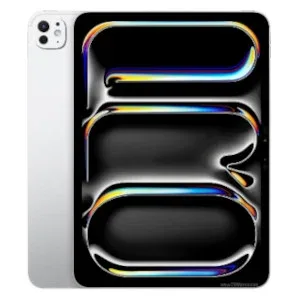
APPLEApple iPad Pro 13-inch (M4)Get my valuation →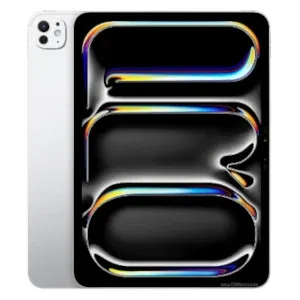 APPLEApple iPad Pro 11-inch (M4)Get my valuation →
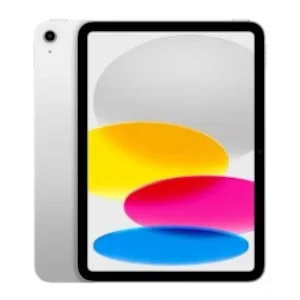 APPLEApple iPad (11th Gen)Get my valuation →
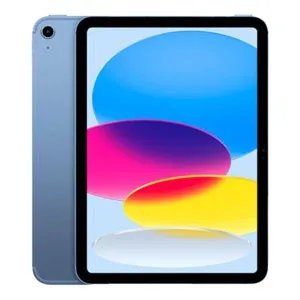 APPLEApple iPad (10th Gen)Get my valuation →
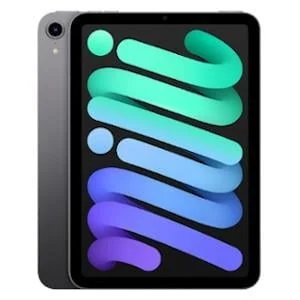 APPLEApple iPad Mini (7th Gen, A17 Pro)Get my valuation →
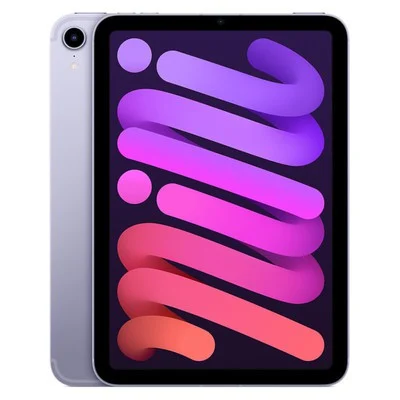 APPLEApple iPad Mini (6th Gen)Get my valuation →
iPad Models and Storage Options
Compare the exact models before getting a quote. Choose your model below, then select the matching storage and condition to see your current quote.
| Model | Storage options |
|---|---|
| Apple iPad Pro 13-inch (M4) | 256GB · 512GB · 1TB · 2TBSee your current quote |
| Apple iPad Pro 11-inch (M4) | 256GB · 512GB · 1TB · 2TBSee your current quote |
| Apple iPad (11th Gen) | 128GB · 256GB · 512GBSee your current quote |
| Apple iPad (10th Gen) | 64GB · 256GBSee your current quote |
| Apple iPad Mini (7th Gen, A17 Pro) | 128GB · 256GB · 512GBSee your current quote |
| Apple iPad Mini (6th Gen) | 64GB · 256GBSee your current quote |
Capacity not listed? Ask Selle rather than choosing a different model or storage size.
How Much Is My iPad Worth?
Pro, Air, mini and standard iPads have different resale values. Screen size, chip or generation, total storage and connectivity identify the device; cosmetic wear and faults describe its condition. A newer-looking iPad is not necessarily the newer model.
Which iPad should I choose?
Start with the full model name, generation and screen size. “iPad Pro 11-inch” alone is not enough: M4 and earlier versions have different listings. In Settings > General > About, note the model name and tap the model-number entry if you need the A-number to identify it. Check total storage and whether it is Wi-Fi or Wi-Fi + Cellular.
Identify your iPad with Apple ↗Get a price for your device
Choose the exact model, storage and condition. You will see your quote before completing the trade-in.
If those details match when we inspect it, that is the amount we pay. If something differs, we explain the revised offer; return postage is free if you decline it.
How to Sell Your iPad to Selle
Choose your model
Find your exact iPad and select the storage and condition.
See your valuation
Check your online offer before deciding to complete the trade-in.
Post or arrange collection
Use tracked UK postage, or free local collection in Liverpool and Merseyside.
Inspection and payment
We check your device and pay the quoted amount the day it arrives when the details match.
Sell Across the UK, or Choose Merseyside Collection
Free Tracked Postage
Complete your valuation and follow the postal instructions supplied with your order. Pack the device in a strong box with padding and keep the tracking number and proof of postage.
Selle pays by bank transfer the same day your device arrives, once it has been checked and confirmed as described.
Postage, packaging and trade-in terms →Free Collection from Your Door
If you live or work in Liverpool or across Merseyside, choose free local collection. Selle checks your device face-to-face and confirms the offer before completing the trade-in.
What Condition Is My iPad In?
Use the condition options on your model’s valuation form. These general descriptions help you get started; tell us about faults as well as visible wear.
Excellent
Fully working, with little or no visible cosmetic wear.
Good
Fully working, with light scratches or small marks from normal use.
Poor
Fully working, with heavier wear, deeper scratches, dents or noticeable marks.
Faulty
Cracked, damaged or affected by a hardware fault. Check the option offered for your model.
iPad checks that affect the quote
Screen and frame
Look for cracked glass, pressure marks, dead pixels or a bent housing. A working touchscreen does not make cracked glass ordinary cosmetic wear.
Charging and controls
Check that the iPad charges and that its buttons, speakers, cameras and Face ID or Touch ID work where fitted.
Accounts and management
Remove Find My and your Apple Account. If a school or employer manages the iPad, arrange for those restrictions to be removed before selling.
Describe functional faults separately from cosmetic wear. If you are unsure which option fits, ask Selle before submitting a trade-in.
Prepare Your iPad Before Selling
Back up your iPad, sign out of your Apple Account, remove Find My and Activation Lock, then erase all content and settings. Remove any physical SIM and keep your accessories unless your order instructions ask for them.
Make sure you own the device and can remove any account locks or management restrictions. If you cannot reset it because of a fault, contact Selle before sending it.
Read our secure data wiping guide →Before You Post
- Back up and transfer the data you want to keep.
- Remove accounts and activation or reset locks.
- Remove any physical SIM after arranging your transfer.
- Erase the device after backing up.
- Package it securely and keep proof of postage.
Do not post a device with a swollen, leaking or seriously damaged battery. Contact Selle for help before sending it.
Sell My iPad FAQs
Can I sell an iPad from a school or workplace?
Only sell a device you own and are authorised to sell. Ask the organisation to remove any management restrictions before handover. A factory reset on its own may not remove them.
Should I choose the free space or the total storage?
Use the iPad’s total capacity. The free space changes as you add or delete files and is not the storage size used for the valuation.
Do I need to send my Apple Pencil or keyboard?
Follow the instructions supplied for your trade-in. Do not assume accessories are included in the valuation; ask Selle if you also want to sell an Apple Pencil or keyboard.
Will I get the amount quoted?
Yes, when your device matches the model, storage and condition selected. Selle checks the device when it arrives. If there is a difference, we explain the revised offer before proceeding.
When will I receive payment?
Selle pays by bank transfer the same day your device arrives, once the device has been inspected and confirmed as described.
What if I do not accept a revised offer?
If inspection identifies a difference, Selle explains the revised valuation. If you decline the revised offer, your device is returned with free return postage.
Can I sell from outside Liverpool?
Yes. The postal service is available across the UK. Free local collection is an additional option for Liverpool and Merseyside customers.
Read What Selle Customers Say
Read customer experiences and check Selle’s business profile before deciding to sell.
See What Your iPad Is Worth
Choose your exact model for a current valuation. Sell by post across the UK, with free local collection in Liverpool and Merseyside.