Sell My iPad Pro for Cash
Selling an iPad Pro starts with the right screen size and generation. Match your 11-inch, 12.9-inch or 13-inch model, then choose its storage and condition for a current quote. Sell by post across the UK, with free collection in Liverpool and Merseyside.
UK postal trade-inFree tracked postage
Same-day paymentAfter arrival and inspection
Merseyside collectionFree local collection
Choose Your iPad Pro Model
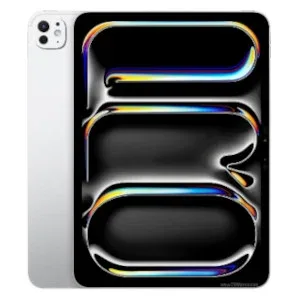
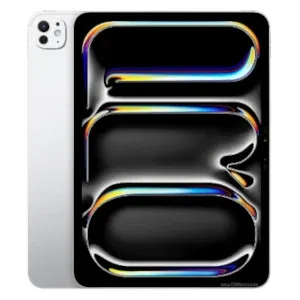
These popular Pro models have their own valuation forms. Match the chip or generation as well as the screen size; two 11-inch iPad Pros can be different devices.
 APPLE
Apple iPad Pro 11-inch (M4)
APPLE
Apple iPad Pro 11-inch (M4)
Screen Size and Generation: Get the Pro Model Right
Check the Full Model Name
Open Settings > General > About and note the model name. Tap the model-number entry to find the A-number if you need to identify the exact version. If it cannot start, use Apple’s identification guide or ask Selle.
Match the Screen and Chip
Do not choose an 11-inch model by screen size alone. M4 and earlier generations have separate listings. The 12.9-inch and 13-inch Pro models are also distinct; select the exact device rather than the nearest size.
Confirm Connectivity
Check whether it is Wi-Fi or Wi-Fi + Cellular. If the valuation form does not ask about a configuration that matters to your device, contact Selle before booking rather than selecting a different model.
iPad Pro Storage Options
Check total capacity in Settings, rather than the free space remaining. The options below match these Selle valuation forms.
| Model | Storage |
|---|---|
| Apple iPad Pro 13-inch (M4) | 256GB · 512GB · 1TB · 2TB |
| Apple iPad Pro 11-inch (M4) | 256GB · 512GB · 1TB · 2TB |
| Apple iPad Pro 12.9-inch (6th Gen, M2) | 128GB · 256GB · 512GB · 1TB · 2TB |
| Apple iPad Pro 11-inch (4th Gen, M2) | 128GB · 256GB · 512GB · 1TB · 2TB |
Different generation or capacity? Check the full directory or request a valuation. Do not choose an inaccurate option.
How Much Is My iPad Pro Worth?
Get a current quote for your exact model, storage and condition. Your original purchase price or the amount another generation sells for does not establish this device’s trade-in value.
Compare the Right Configuration
The featured M4 forms begin at 256GB, while the featured M2 forms begin at 128GB. A 2TB model also needs its own storage selection. Check the model and capacity together before comparing an offer.
Your Quote and the Arrival Checks
We pay the quoted amount when the model, storage and condition match the details supplied. If inspection finds a difference, we explain any revised offer before you decide. Return postage is free if you decline.
Check Your iPad Pro Before Getting a Quote
Screen, Frame and Display
Check the entire display and touch area, including corners and edges. Disclose cracked glass, display marks or a bent frame, even if the iPad still turns on.
Charging, Cameras and Face ID
Test charging, buttons, speakers, cameras and Face ID where fitted. Mention intermittent faults or functions you cannot test rather than judging condition by appearance alone.
Workplace or School Restrictions
An iPad Pro used for work or study may have device-management restrictions. Arrange for the organisation to release it and remove account locks before booking.
Can I Sell a Broken iPad Pro?
Describe the Faults
A damaged tablet may still have value, depending on the model and extent of the problem. Disclose cracks, charging issues, display faults and anything you cannot test. If the form does not cover the damage, ask for a valuation before sending.
Account Locks and Battery Damage
You must own the device and be able to remove Find My, Activation Lock and management restrictions. If a fault prevents that, contact Selle first. Do not post a tablet with a swollen, leaking or seriously damaged battery.
How to Sell Your iPad Pro
01 — Identify Your iPad Pro
Match the complete model name, screen size or generation, and total storage.
02 — Get Your Quote
Select the condition that describes the tablet and disclose known faults.
03 — Complete Your Booking
Add each device to your sell basket, then enter your details once and choose postage or eligible local collection.
04 — Inspection and Payment
We check the device and pay by bank transfer the day it arrives, once confirmed as described.
UK Postal Trade-In or Merseyside Collection
Free Tracked UK Postage
Follow the instructions provided with your booking. Use a strong box and cushioning to keep the tablet from moving, include your name and booking reference inside, and keep proof of postage. Check the service and cover in our trade-in terms.
Free Liverpool and Merseyside Collection
Local customers can choose collection instead of posting. Selle checks the device face-to-face and confirms the condition before completing the sale. See our Liverpool iPad collection service →
Prepare Your iPad Pro for Its Next Owner
Back Up, Sign Out and Erase
Save the information you want to keep. Remove Find My and Activation Lock, sign out of your Apple Account and erase the iPad. Transfer any SIM service and remove a physical SIM if present. Never share your Apple Account password.
Keep Accessories Unless Requested
Keep your Apple Pencil, keyboard, case and charger unless your agreed quote or booking instructions request them. Pack the tablet securely and label the parcel contents with your name and booking reference.
Sell My iPad Pro FAQs
Can I sell an 11-inch or 12.9-inch iPad Pro?
Check the exact generation in the directory. The screen measurement alone is not enough: different generations of the same size have their own valuation listings.
Is the 13-inch iPad Pro the same as the 12.9-inch model?
No. Match the full model name and generation to the device listing. Do not select the nearest screen size just because it looks similar.
Can I sell a 1TB or 2TB iPad Pro?
Yes, where that storage option is available for the exact model. Use total storage capacity and the correct generation. Ask Selle if your configuration is not listed.
Can I sell an iPad Pro that was used by a business?
Only if you own it or have authority to sell it and all account locks and management restrictions can be removed. Ask the organisation to release it before booking.
Will I receive the amount quoted?
Yes, when the device matches the model, storage and condition selected. If inspection finds a difference, we explain any revised offer before you decide whether to proceed.
When will I be paid?
Selle pays by bank transfer the same day your device arrives, once it has been inspected and confirmed as described.
What if I decline a revised offer?
If you decline a revised offer, we return your device with free return postage.
Can I sell more than one device?
Yes. Add each device to your sell basket with its own storage and condition, then complete one booking for the devices together.
Read What Selle Customers Say
Customer Experiences on Google
Read independent customer feedback and see the latest rating on Selle’s Google profile.
See What Your iPad Pro Is Worth
Get a quote based on your exact device. Sell by post across the UK, or choose free collection in Liverpool and Merseyside.